cPanel vs Plesk: Which Hosting Control Panel Is Better?
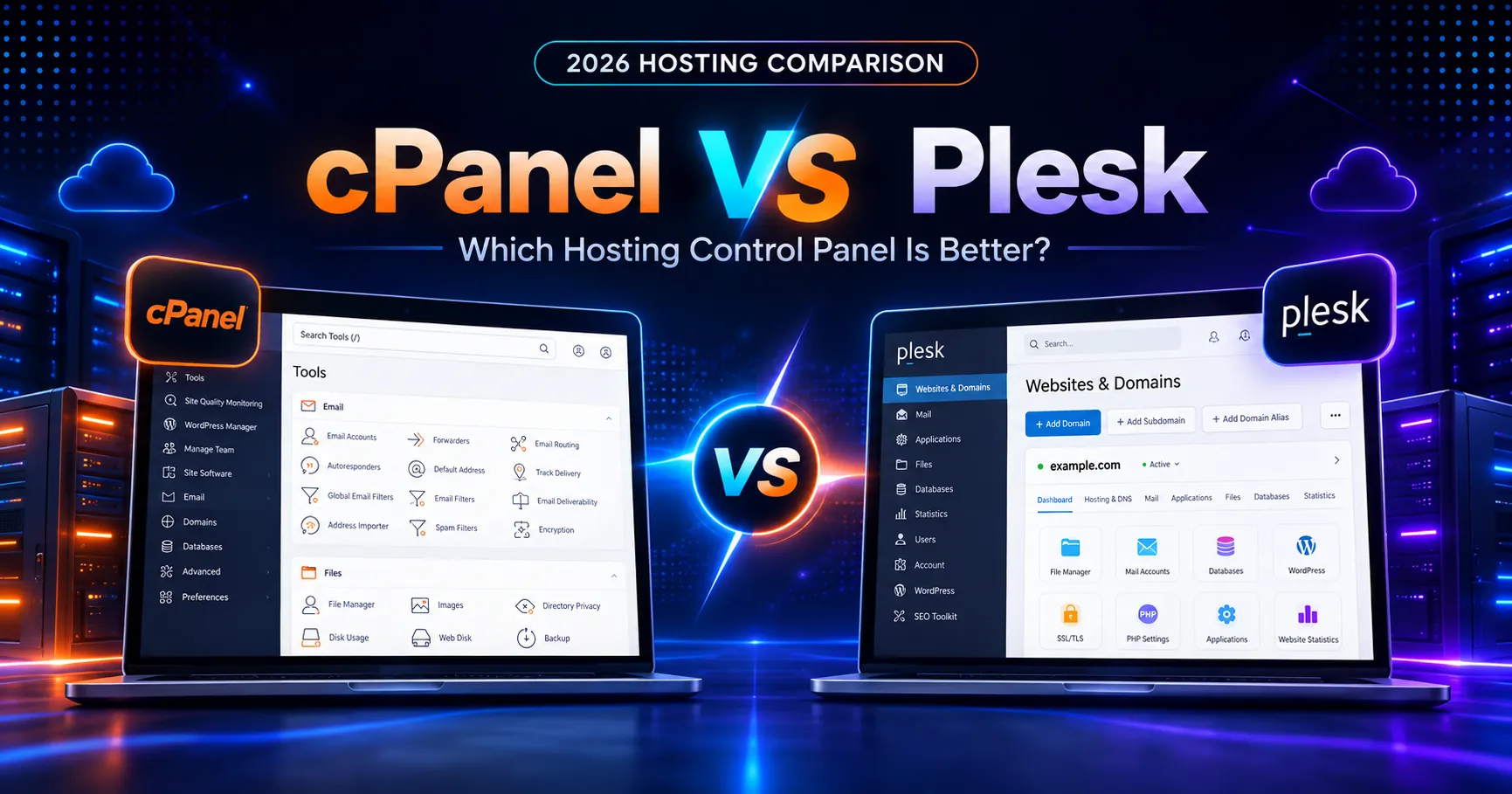
If you’re comparing cPanel vs Plesk, you’re not choosing between two ordinary website dashboards. You’re choosing how you’ll manage domains, email, databases, SSL, WordPress, server settings, customer accounts, and day-to-day hosting operations. I’ve worked with both styles of control panel, and the biggest difference isn’t a single feature. It’s the workflow. cPanel pairs the familiar end-user cPanel interface with WHM for server and account administration. Plesk puts server, website, WordPress, subscription, and customer management into a more unified interface. In 2026, pricing also matters more than ever because both products use recurring licenses and cPanel has continued to adjust its account-based tiers. Here’s how the two platforms compare today, where each one feels stronger, and what you should verify before paying for a license.
cPanel vs Plesk: Quick Overview
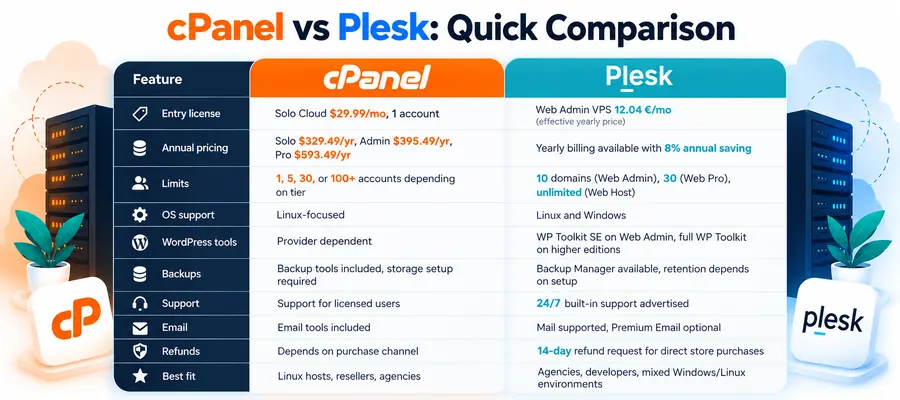
The plesk vs cpanel comparison 2026 comes down to licensing, operating-system support, account structure, WordPress tooling, and how much control you want over hosting customers. cPanel is deeply established in Linux hosting and separates website management from server administration through cPanel and WHM. Plesk supports both Linux and Windows environments and organizes its editions by domain limits and service-provider capabilities.
| Feature | cPanel | Plesk |
|---|---|---|
| Entry license | Solo Cloud: $29.99/mo, 1 account | Web Admin VPS: 12.04 €/mo effective yearly price shown by Plesk |
| Annual option | Solo $329.49/year; Admin $395.49; Pro $593.49 | Yearly licensing available; current page shows 8% annual saving |
| Renewal model | Renews by billing cycle at current license pricing | Automatic renewal; Plesk says 2026 subscriptions use revised pricing |
| Account/domain limits | 1, 5, 30, or 100+ cPanel accounts depending on tier | 10 domains Web Admin, 30 Web Pro, unlimited Web Host |
| Infrastructure | Cloud/VPS for Solo, Admin, Pro; Premier also supports Metal | VPS and dedicated-server licensing |
| Operating systems | Linux-focused cPanel & WHM platform | Linux and Windows editions supported |
| WordPress tools | Provider-dependent WordPress stack plus cPanel tools | WP Toolkit SE on Web Admin, full WP Toolkit on higher editions |
| CDN | Not inherently bundled with the license; depends on host/setup | Not inherently bundled with the base license; extensions/provider may add it |
| Backups | Backup tools available in cPanel/WHM; storage destination is your responsibility | Backup Manager available; storage and retention depend on server configuration |
| Support | cPanel support for licensed users plus host/provider support | 24/7 built-in support advertised on current Plesk plans |
| Email hosting | Email account and spam-management tools included in cPanel feature set | Mail management supported; Premium Email is an optional extension |
| Money-back policy | Depends on purchase channel and license terms | Direct Plesk Store purchases eligible for refund request within 14 days |
| Best fit | Linux hosts, resellers, agencies, users familiar with cPanel/WHM | Agencies, developers, mixed Windows/Linux environments, WordPress teams |
Pricing note: Pricing was verified against the official cPanel and Plesk pages this week. cPanel’s 2026 direct-store prices are explicit. Plesk’s live pricing page shows current yearly effective prices and warns that subscriptions are subject to a revised 2026 pricing structure. Always confirm the final amount, VAT, billing cycle, server type, and renewal price on the official checkout page before buying.
Pricing: Which One Is Actually Cheaper?
At first glance, Plesk has the lower entry cost. Its current pricing page shows Web Admin Edition for VPS at an effective 12.04 € per month on yearly billing, Web Pro at 18.29 €, and Web Host at 31.38 €. Web Admin supports up to 10 domains, Web Pro up to 30, and Web Host unlimited domains. Plesk also offers monthly leases, but the final rate depends on billing cycle, server type, currency, VAT, and any extensions you add.
cPanel’s pricing is simpler to verify in dollars. Solo Cloud costs $29.99 per month for one cPanel account. Admin Cloud costs $35.99 for up to five accounts. Pro Cloud costs $53.99 for up to 30 accounts. Premier costs $69.99 for up to 100 accounts, with additional accounts billed separately. Annual billing lowers the effective monthly cost on Solo, Admin, and Pro.
Here’s the thing: these limits measure different things. A Plesk domain limit isn’t the same as a cPanel account limit. One cPanel account can contain multiple domains depending on the server configuration, while a Plesk Web Admin license is explicitly capped by domains. If you’re running a hosting business, you need to model your actual customer-account structure before deciding which license looks cheaper.
Also check what isn’t bundled. Neither control-panel license is your server. You’ll still pay for the VPS or dedicated machine, storage, backups, outbound email infrastructure, security add-ons, and any premium extensions you choose. Plesk’s WP Toolkit is a meaningful advantage for WordPress-heavy workflows, while cPanel’s huge ecosystem and WHM reseller model can reduce operational friction for teams already standardized on it.
Performance and Speed
If you’re searching for the cpanel plesk best control panel based on speed alone, there isn’t a credible universal TTFB number I can give you. I could not verify a standardized 2026 benchmark this week that tests cPanel and Plesk on identical hardware, operating systems, web-server stacks, PHP versions, cache layers, and workloads. Any precise winner claim would be misleading.
In practice, the control panel itself is only one layer in the stack. TTFB depends far more on CPU allocation, disk performance, PHP workers, database tuning, LiteSpeed or Apache/Nginx configuration, caching, CDN placement, and the application you’re running. A well-tuned Plesk server can beat a badly configured cPanel server, and the reverse is just as true.
Where the panels differ is in how easily you can manage the performance stack. cPanel and WHM expose detailed server and account controls and work well with a huge ecosystem of hosting software. Plesk puts more website-level tooling in one interface and gives WordPress users WP Toolkit capabilities directly in the panel. That can make routine optimization easier even when raw server performance is identical.
Ease of Use and Control Panel
cPanel feels familiar because it’s everywhere. The website owner gets cPanel for domains, files, email, databases, SSL, metrics, and software. The server administrator or reseller works in WHM. That separation is logical once you know the system, and there’s an enormous amount of documentation written around it.
Plesk feels more unified. Server administration, websites, subscriptions, customers, WordPress, extensions, mail, and security sit inside one broader environment. Web Admin Edition uses a Power User workflow, while Web Pro and Web Host add service-provider capabilities. If you’re managing client WordPress sites rather than reselling traditional cPanel accounts, Plesk can feel more direct.
To compare cPanel’s traditional model with a newer proprietary dashboard, see our cPanel vs hPanel 2026 comparison.
Support Quality
Both vendors maintain extensive documentation, but your real support experience depends heavily on where you bought the license. If your hosting provider bundles cPanel or Plesk, you’ll often contact the host first. If you buy directly, vendor support becomes more important.
Plesk’s current pricing page advertises 24/7 built-in support. cPanel also maintains customer support and an extensive knowledge base. For agencies, the quality of the host underneath the panel still matters because many issues that look like “control panel problems” are actually DNS, network, firewall, disk, mail-delivery, or operating-system problems.
Who Should Choose cPanel and Who Should Choose Plesk?
Choose cPanel if you want a proven Linux hosting ecosystem
cPanel makes sense if your team already knows WHM, you run Linux servers, you sell traditional hosting accounts, or you depend on the enormous cPanel documentation and integration ecosystem. It also fits agencies that regularly move between hosting providers because cPanel workflows remain broadly familiar across the industry.
For a practical example of how a traditional hosting stack compares with a proprietary panel experience, read our A2 Hosting vs Hostinger comparison. Hosting.com follows a more traditional hosting model, while Hostinger relies on hPanel.
Choose Plesk if WordPress tooling or mixed server environments matter more
Plesk is compelling for developers and agencies managing multiple WordPress projects, especially when WP Toolkit is valuable. It also supports Windows environments, which immediately makes it more relevant for teams that need Microsoft-oriented hosting alongside Linux workloads.
If your priority is ease of use rather than server administration, our Hostinger vs o2switch comparison shows two different approaches to managed hosting dashboards and infrastructure.
Verdict: Our Final Recommendation
There isn’t one universal winner in the cPanel vs Plesk debate. cPanel is the safer operational choice for Linux hosting companies, resellers, and admins who want the familiar cPanel plus WHM model. Plesk is the stronger fit when you want a more unified control experience, strong WordPress management, or Windows support.
If price is your main concern, compare your actual number of customer accounts and domains. Plesk’s Web Admin and Web Pro editions can look significantly cheaper than cPanel’s equivalent direct-store tiers, but they’re not measuring the same unit. If workflow matters more, test both products before standardizing your servers.
For a broader look at hosting platforms around these control panels, see our best web hosting comparison 2026. You can also verify current Plesk pricing on the official Plesk pricing page.
FAQ
Is cPanel or Plesk better for WordPress hosting in 2026?
Plesk has an advantage for teams that want WordPress management built deeply into the panel through WP Toolkit. cPanel can also run WordPress extremely well, but the exact WordPress toolset depends more heavily on the hosting provider and installed software.
Which is cheaper in 2026, cPanel or Plesk?
Plesk’s current annual effective entry price is lower than cPanel Solo, but the licensing units differ. cPanel prices by account tier, while Plesk editions are primarily limited by domains and service-provider capabilities. Compare your real deployment before deciding.
Is Plesk better than cPanel for Windows servers?
Yes for this specific requirement. Plesk supports Windows server environments, while cPanel & WHM is centered on supported Linux distributions.
Can I migrate from cPanel to Plesk later?
Yes, migrations are possible, but treat them as infrastructure projects rather than simple theme changes. Mailboxes, DNS, databases, SSL, PHP versions, account structure, and application paths all need to be checked carefully before switching production servers.