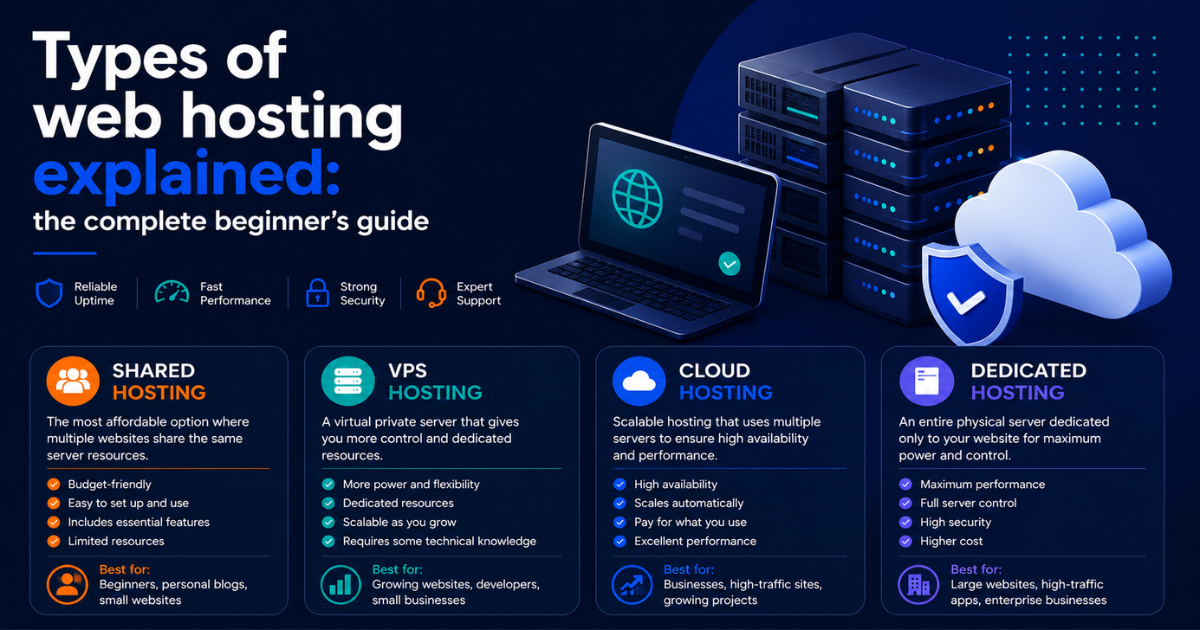
Types of web hosting explained: the complete beginner’s guide
Affiliate Disclosure: This article contains affiliate links. If you purchase a hosting plan through one of our links, we may earn a commission at no extra cost to you. Our recommendations are based on independent research and real-world testing. We only recommend services we genuinely trust.
Understanding the types of web hosting available is the first decision every site owner needs to get right before spending a single dollar. Pick the wrong type and you either overpay for resources you will never use, or you run a site that cannot handle its own traffic. The types of web hosting on the market today fall into four main categories: shared, VPS, cloud, and dedicated. Each one represents a completely different relationship between your website and the underlying server hardware, and each one is built for a different stage of website growth.
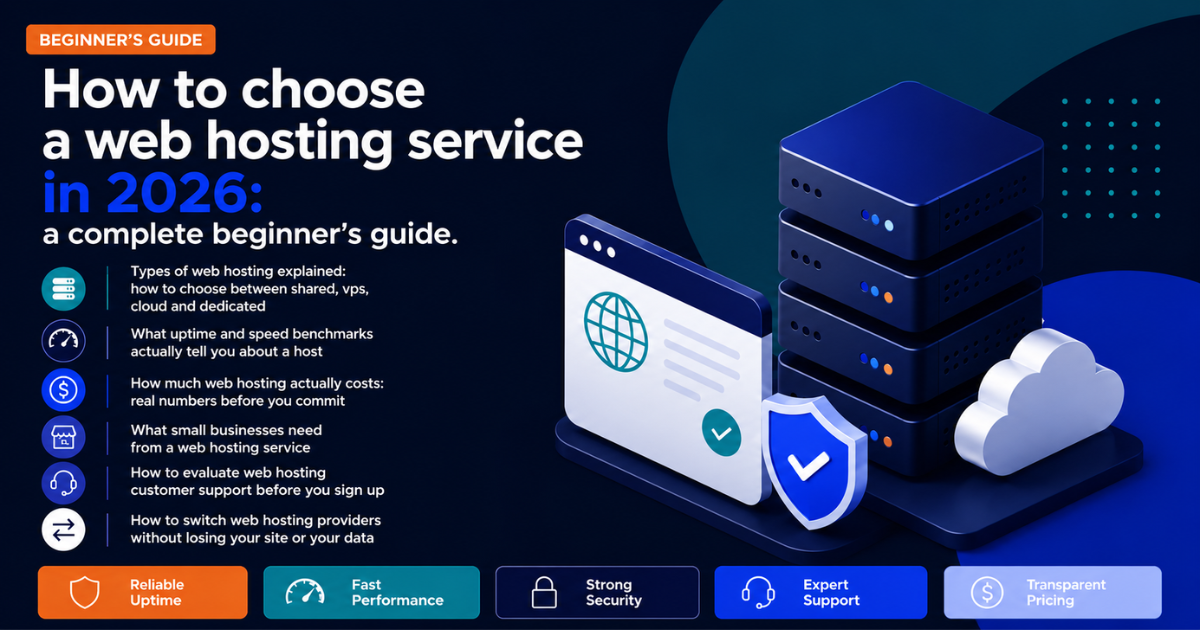
If you are also weighing other factors like pricing, support quality, and performance benchmarks, our complete guide on how to choose a web hosting service in 2026 covers every decision factor from start to finish. This article focuses entirely on the hosting types themselves.
For readers who want a direct starting point, [] Hostinger [] offers clear entry points at every hosting tier, from shared to VPS to cloud, with transparent pricing and NVMe SSD storage included across all plans.
[] Visit Hostinger – See All Hosting Types and Plans []
What are the main types of web hosting
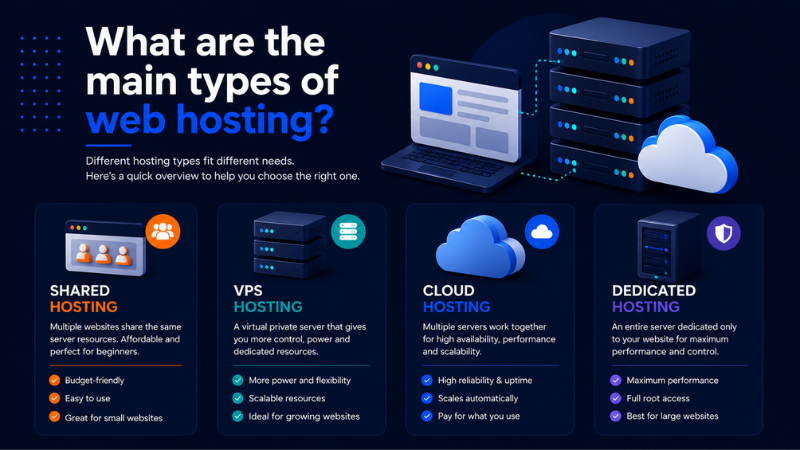
Before comparing the four types of web hosting in detail, it helps to understand what hosting actually is and why the type you choose matters so much.
Web hosting is the service that makes your website accessible on the internet. Your website files, database, and code all live on a server somewhere. When someone types your domain into their browser, their computer connects to that server and loads your site. The type of web hosting you choose determines what kind of server environment your site lives in, how many resources it has access to, and how it performs under traffic.
The four types of web hosting available today serve fundamentally different needs.
| Hosting type | Best for | Avg. monthly cost | Technical skill needed |
|---|---|---|---|
| Shared | Beginners, small blogs, informational sites | $2 to $10 | Low |
| VPS | Growing sites, developers, eCommerce | $20 to $80 | Medium |
| Cloud | High traffic, variable load, media sites | $10 to $150+ | Medium to high |
| Dedicated | Enterprise, compliance, high-volume apps | $80 to $300+ | High |
Choosing the wrong type of web hosting from this list is the most common and most costly mistake first-time buyers make. The rest of this guide helps you avoid it.
Shared hosting: the starting point for most websites
Shared hosting is the entry-level type of web hosting and the most widely used. Your website lives on a server alongside dozens, sometimes hundreds, of other websites. You all share the same CPU, RAM, and bandwidth pool.
Think of it like renting a room in a large house. The kitchen, the living room, the Wi-Fi, all shared. If your roommate throws a party and eats up all the bandwidth, your website slows down too. That is not a metaphor. It is a real technical condition called the noisy neighbor effect, and it is the most common complaint among shared hosting users.
Who shared hosting is built for
Shared hosting makes sense when:
- You are launching a first website or personal blog
- Your site gets fewer than 10,000 monthly visitors
- You are not running an eCommerce store with active transactions
- Budget is the primary concern and some downtime tolerance is acceptable
Pricing typically runs between $2 and $10 per month at the introductory rate. Renewal rates are higher, often double, so always check the renewal price before signing up.
What shared hosting will not do
Shared hosting will not handle traffic spikes gracefully. If a post goes viral or you run a promotion that drives sudden traffic, a shared server can buckle. You also get limited control over server configuration. For a new blog, a portfolio site, or a small local business page that is mostly informational, shared hosting is completely fine. Do not let anyone sell you a VPS when shared is all you need.
According to Google’s own page experience documentation, server response time directly affects Core Web Vitals scores. On a well-configured shared server with NVMe SSD storage, most small sites score adequately without needing to upgrade.
VPS hosting: more control, dedicated resources
VPS stands for Virtual Private Server. A single physical server is divided into multiple virtual machines using software called a hypervisor. Each virtual machine acts like its own independent server with its own allocated CPU, RAM, and storage.
Your resources are yours. If another customer on the same physical machine gets a traffic surge, it does not touch your slice. That is the core difference between shared and VPS among the types of web hosting, and it matters a lot once your site starts getting real traffic.
The technical setup of VPS hosting
When you buy a VPS, you are typically given root access to your virtual environment. That means you can install software, configure your web server, adjust PHP settings, and control the stack the way you want. Most VPS plans run on Linux, which is the standard for web hosting because it is stable, well-supported, and has a massive ecosystem of server software.
Who VPS hosting is built for
VPS hosting is the right move when:
- Your site consistently gets 20,000 to 100,000 or more monthly visitors
- You run a WooCommerce store with real transaction volume
- You need custom server software or specific PHP configurations
- Shared hosting has already caused performance issues
Pricing runs $20 to $80 per month for a managed VPS. Unmanaged VPS plans are cheaper but require you to handle server administration yourself. I generally recommend managed VPS for anyone who is not comfortable on the command line.
Cloud hosting: scalability without the ceiling
Cloud hosting is the third type of web hosting and the most misunderstood. In practical terms, your website runs across a network of interconnected servers rather than one single machine. Resources are pooled and dynamically allocated.
The key advantage is scalability. If your site suddenly needs four times the normal CPU capacity, cloud hosting adjusts on the fly. You are not waiting for a server technician to add RAM to a physical box.
How cloud hosting works differently from other types of web hosting
With traditional hosting types like shared or VPS, your resources are tied to a specific physical server. If that server has a hardware failure, your site goes down until the issue is resolved. Cloud hosting distributes your site across multiple servers, so a single hardware failure does not take you offline. Redundancy is built in by design.
Billing on cloud platforms is often usage-based, meaning you pay for what you consume rather than a flat monthly fee. That is great for scalability but can be unpredictable if you are not monitoring usage carefully.
Who cloud hosting is built for
Cloud hosting makes sense when:
- Traffic is unpredictable and you get quiet weeks and massive spikes
- You are running multiple sites or applications from one account
- Uptime is non-negotiable for your business
- You have some technical comfort or a developer on your team
Many managed cloud hosting providers abstract the raw cloud infrastructure behind a user-friendly control panel. That is a solid middle ground if you want cloud-level performance without touching AWS directly.
Dedicated hosting: one server, all yours
Dedicated hosting is the most powerful type of web hosting available. You are renting an entire physical server. No other customers share your hardware. You get full control over the operating system, software stack, firewall rules, and every configuration setting on the machine.
This is the most powerful option and the most expensive. Pricing starts around $80 per month and can easily exceed $300 per month depending on hardware specs and data center location.
When dedicated hosting actually makes sense
Among all the types of web hosting, dedicated is the one most commonly oversold to buyers who do not need it. It genuinely makes sense when:
- Your site consistently receives millions of monthly page views
- You handle sensitive data that requires strict isolation
- You run resource-intensive applications such as video transcoding or large databases
- Compliance requirements such as HIPAA or PCI-DSS mandate a fully isolated environment
For most small to mid-sized businesses, dedicated hosting is more than they will ever need.
Managed vs. unmanaged dedicated servers
Managed dedicated servers include server monitoring, OS updates, security patches, and sometimes performance tuning from the host’s technical team. Unmanaged means you own all of that responsibility. Unless you are a systems administrator, managed is the way to go. The premium is worth it.
How to choose between the types of web hosting
Types of web hosting matched to real use cases
Here is how I would walk someone through this decision in five minutes.
Start with traffic and budget. If you are launching your first site and expect fewer than 10,000 monthly visitors, shared hosting covers your needs completely.
Move to VPS when shared starts hurting performance. Signs that you have outgrown shared hosting include slow page load times even when traffic is moderate, frequent downtime during peak hours, and hitting storage or bandwidth caps regularly.
Choose cloud when you need elasticity. If your traffic is seasonal, event-driven, or genuinely unpredictable, cloud hosting protects you from both over-provisioning and under-provisioning.
Consider dedicated only at serious scale. If you are managing a high-traffic media property, a large eCommerce operation, or an application with strict compliance requirements, dedicated is a legitimate choice. For everyone else, a well-configured VPS or managed cloud plan will outperform a basic dedicated server.
According to Review Signal’s annual web hosting performance benchmarks, the performance gap between a well-configured shared plan and a poorly configured VPS is smaller than most buyers expect. The hosting type matters less than the infrastructure quality within that type.
A decision framework based on your situation
| Your situation | Right hosting type | Recommended starting budget |
|---|---|---|
| First website, under 10,000 visitors per month | Shared | $2 to $10 per month |
| Growing site, 10,000 to 100,000 visitors per month | VPS managed | $30 to $60 per month |
| Unpredictable traffic, eCommerce, media | Cloud managed | $14 to $50 per month |
| Enterprise, compliance, millions of page views | Dedicated managed | $80 to $300 per month |
One more thing worth knowing: the hosting type you start with does not lock you in forever. Most reputable hosts make it straightforward to migrate from shared to VPS, or from VPS to cloud, as your site grows. What matters most right now is matching your current traffic, budget, and technical comfort level to the right tier.
You can also test your current site performance for free using Google PageSpeed Insights to see whether your existing hosting type is holding back your Core Web Vitals scores before deciding to upgrade.
Our recommended providers by hosting type
Choosing the right hosting type is only half the decision. The provider you choose within that tier matters just as much. Here are the hosts we recommend most often at each level based on real-world testing, independent uptime data, and support quality evaluations.
| Hosting type | Recommended host | Starting price | Why we recommend it | Deal |
|---|---|---|---|---|
| Shared | Hostinger | $2.99/mo | NVMe SSD, transparent pricing, fast load times | [] See Deal [] |
| VPS | Cloudways | $14/mo | Managed cloud VPS, no hidden fees, flexible scaling | [] See Deal [] |
| Cloud | Kinsta | $35/mo | Premium managed cloud WordPress, excellent uptime | [] See Deal [] |
| Dedicated | Liquid Web | $80/mo | Enterprise-grade hardware, 24/7 phone support | [] See Deal [] |
Understanding the types of web hosting available is the foundation of every smart hosting decision. Shared hosting covers most beginners completely. VPS handles growing sites with real traffic. Cloud protects businesses that cannot afford downtime or traffic surprises. Dedicated serves enterprise operations with strict resource and compliance requirements.
The most common mistake is buying for the traffic you hope to have rather than the traffic you actually have today. Start at the right tier for your current situation, and upgrading later is straightforward with any reputable host.
For readers starting out with a first website or moving from a page builder to self-hosted WordPress, [] Hostinger [] is where we send most beginners. Their entry-level shared plans include NVMe SSD storage, free SSL, and a one-click WordPress installer that gets you from signup to live site in under 15 minutes.
[] Visit Hostinger – Start Your First Website Today []
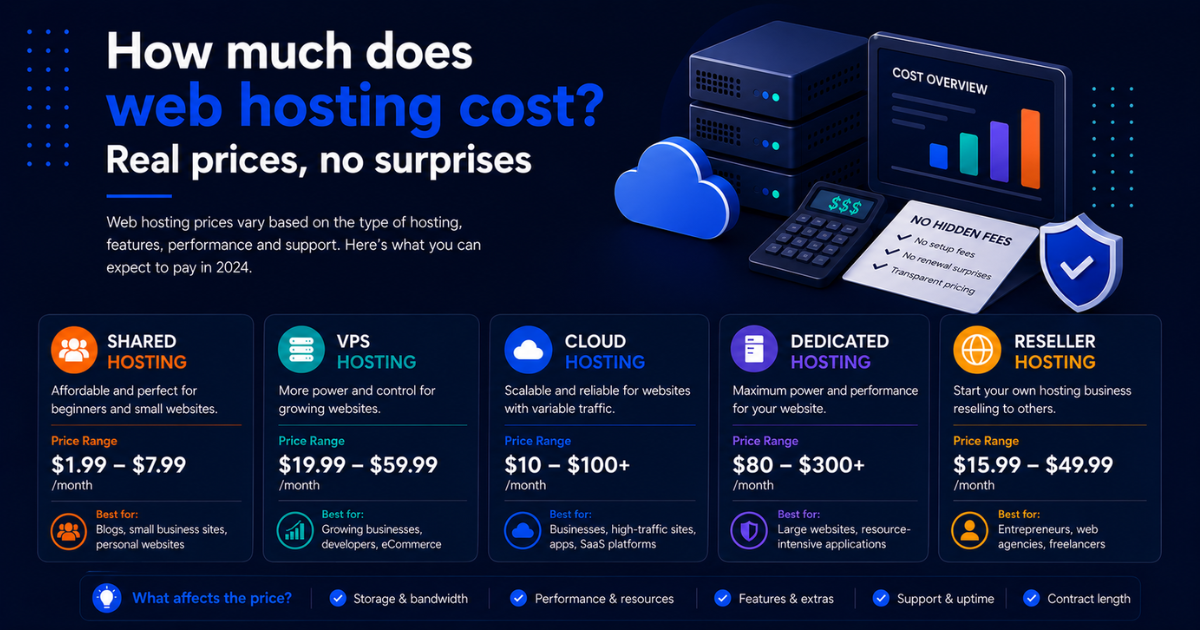
Once you have nailed down the hosting type that fits your situation, the next practical question most people hit is cost. Our guide on how much web hosting really costs and what those prices actually include breaks that down with real numbers and no spin.