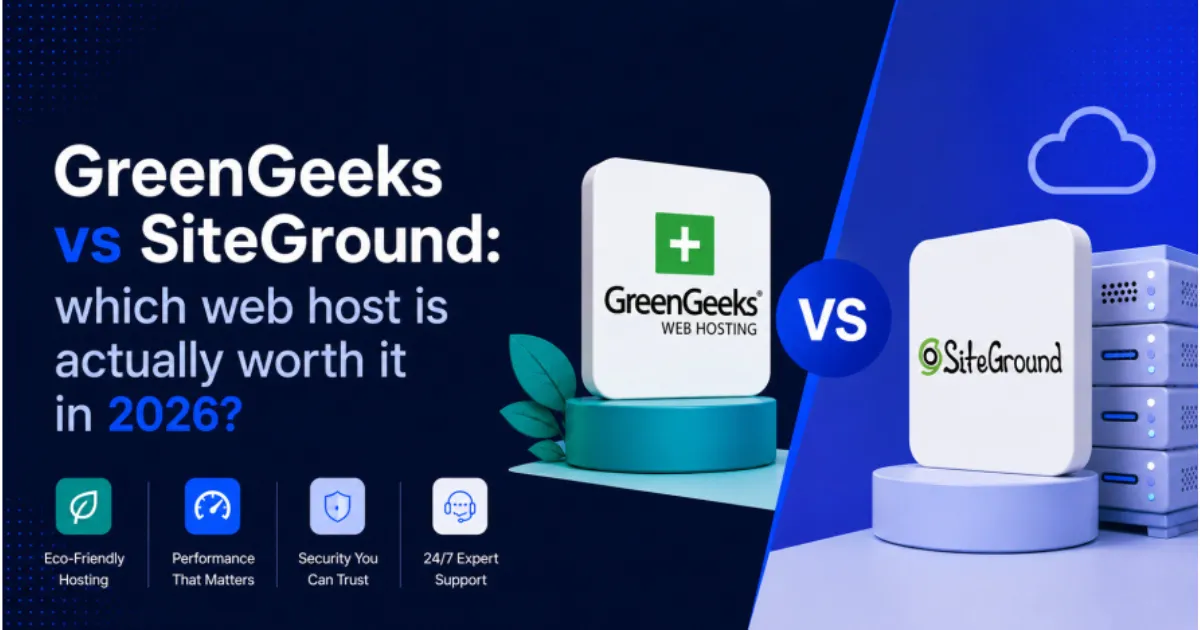
GreenGeeks vs SiteGround: which web host is actually worth it in 2026?
Both providers market themselves as eco-friendly, both support WordPress, and both target roughly the same audience: bloggers, small business owners, and site builders who want solid performance without managing a server. On the surface, they look nearly identical. The differences only show up when you dig into renewal pricing, real uptime data, green credentials, and the way each host handles performance at scale.
This comparison covers all of it. By the end, you will know which one fits your situation and why.
A quick look at both hosting providers
GreenGeeks was founded in 2008 with an explicit focus on environmentally responsible hosting. They match three times their energy consumption through renewable energy certificates, and that commitment has become central to their brand identity. Their shared hosting plans are competitively priced, and they run LiteSpeed servers, which give WordPress sites a meaningful speed advantage over providers still using Apache.
SiteGround started around the same time and has built a reputation around customer support quality and technical reliability. They migrated their infrastructure to Google Cloud in 2020, which pushed their uptime and speed figures to among the best in the shared hosting category. They also hold a green hosting certification, though their approach to sustainability differs from GreenGeeks.
Both are legitimate choices. The right pick depends on what matters most to you.
Performance and speed
Speed matters for two reasons: user experience and search rankings. Google measures page experience through Core Web Vitals, a set of metrics that include Largest Contentful Paint, Interaction to Next Paint, and Cumulative Layout Shift. Your hosting provider’s server response time feeds directly into these scores, particularly LCP.
You can read Google’s full documentation on Core Web Vitals at web.dev/vitals. The benchmark that matters most from a hosting perspective is Time to First Byte, or TTFB, which measures how quickly the server starts responding after a request.
Server response time
Independent benchmarks consistently show SiteGround with a slight edge in TTFB over GreenGeeks. SiteGround’s Google Cloud infrastructure delivers server response times typically below 200 milliseconds, which is Google’s recommended threshold. GreenGeeks averages in the 200 to 280 millisecond range on shared plans, which is still acceptable but measurably slower.
For a blog or informational site, that difference is unlikely to be noticeable to visitors or to affect rankings significantly. For a site where every millisecond of load time matters, such as a high-volume WooCommerce store, SiteGround’s infrastructure advantage becomes more relevant.
Caching and server technology
This is where GreenGeeks partially closes the gap. LiteSpeed servers come with a built-in caching layer that handles WordPress pages more efficiently than the Apache configuration many hosts use. The LiteSpeed Cache plugin integrates directly with the server, meaning you get server-level caching without setting up a separate solution.
SiteGround runs Nginx with a custom caching system called SuperCacher, which includes full-page caching and Memcached support on higher-tier plans. Both approaches are effective, but GreenGeeks’ LiteSpeed setup tends to produce faster cached response times on the entry plans where the performance comparison matters most.
| Performance metric | GreenGeeks | SiteGround |
| Average TTFB (shared plans) | 200 to 280 ms | Under 200 ms |
| Web server | LiteSpeed | Nginx with SuperCacher |
| Built-in caching | LiteSpeed Cache | SuperCacher (full-page) |
| Storage type | SSD | SSD on Google Cloud |
| CDN included | Cloudflare CDN | Cloudflare CDN |
| PHP version support | Up to PHP 8.3 | Up to PHP 8.3 |
Uptime reliability
Both providers publish a 99.9% uptime guarantee in their terms of service. In practice, SiteGround’s historical uptime data comes in higher, typically around 99.99%, which translates to less than an hour of downtime per year. GreenGeeks tends to land at or just above the 99.9% threshold.
For most sites, 99.9% uptime is perfectly acceptable. That figure works out to roughly eight and a half hours of potential downtime per year, and in practice most outages are brief and infrequent. The gap between GreenGeeks and SiteGround on uptime is real but unlikely to matter for a typical blog or small business site.
Where the difference becomes more significant is for e-commerce sites or any property where downtime directly costs money. If an hour offline means lost orders, SiteGround’s track record is the safer choice.
| Uptime metric | GreenGeeks | SiteGround |
| Published SLA | 99.9% | 99.9% |
| Observed uptime (independent data) | ~99.9% | ~99.99% |
| Infrastructure | Own data centers | Google Cloud |
| Status page | Yes | Yes |
What you actually pay
This is where the comparison gets uncomfortable for a lot of hosting reviews to be honest about. Promotional pricing and renewal pricing are two completely different numbers, and the gap between them can be significant.
Entry pricing
GreenGeeks’ entry plan starts at $2.95 per month on a 36-month term. SiteGround’s equivalent plan starts at $2.99 per month on the same term. At these rates, they are essentially identical.
Renewal pricing
The real cost difference shows up at renewal. GreenGeeks renews the entry plan at around $10.95 per month. SiteGround renews at $17.99 per month. Over a two-year horizon after the initial promotional period, that gap adds up to over $160.
If you are planning to stick with a provider for several years, GreenGeeks is meaningfully cheaper over the full lifetime of the account. SiteGround costs more to maintain, and the renewal rate jump is steeper than most budget-conscious buyers expect.
| Plan | GreenGeeks | SiteGround |
| Entry plan name | Lite | StartUp |
| Promotional price | $2.95/month | $2.99/month |
| Renewal price | ~$10.95/month | ~$17.99/month |
| Websites allowed | 1 | 1 |
| Storage | 50 GB SSD | 10 GB SSD |
| Free domain | Yes (first year) | No |
| Free SSL | Yes | Yes |
| Daily backups | Yes | Yes |
| Money-back period | 30 days | 30 days |
Green hosting credentials
Both providers market themselves as eco-friendly, but they take meaningfully different approaches to that claim. Understanding the difference helps you decide whether the environmental angle matters to your decision.
GreenGeeks’ environmental commitment
GreenGeeks purchases Renewable Energy Certificates in a quantity equal to three times their actual energy consumption. That means for every unit of electricity their servers use, they fund three units of renewable energy generation through verified certificates. Their full environmental policy is published at greengeeks.com/green-web-hosting.
This approach does not mean their servers run on renewable power directly. It means they offset more than their footprint through the certificate market. That is a legitimate and widely accepted form of environmental accountability, though it differs from operating data centers that are physically powered by clean energy.
SiteGround’s renewable energy policy
SiteGround’s green hosting commitment focuses on operating data centers that run on renewable energy sources. Their approach is outlined at siteground.com/green-web-hosting. Because their infrastructure runs on Google Cloud, the underlying data centers benefit from Google’s own long-term renewable energy procurement, which has consistently matched or exceeded 100% of global electricity use since 2017.
If direct renewable infrastructure matters more to you than offset certificates, SiteGround has the stronger claim. If scale of offset matters more, GreenGeeks’ 3x match is notable.
| Green credential | GreenGeeks | SiteGround |
| Approach | 3x renewable energy certificates | Renewable-powered data centers |
| Infrastructure energy source | Offset via RECs | Google Cloud renewable energy |
| Published policy | greengeeks.com/green-web-hosting | siteground.com/green-web-hosting |
| Third-party verified | Yes | Yes (Google Cloud certification) |
Features side by side
Both providers cover the standard feature set you would expect from a modern shared hosting plan. The differences are in the details.
| Feature | GreenGeeks | SiteGround |
| One-click WordPress install | Yes | Yes |
| Staging environment | No (entry plan) | Yes (on GrowBig and above) |
| Free email hosting | Yes | Yes |
| Control panel | cPanel | Site Tools (custom) |
| Automatic WordPress updates | Yes | Yes |
| Free site migration | Yes (one free) | Yes (one free) |
| Developer tools (SSH, WP-CLI, Git) | Yes | Yes |
| Multisite support | Yes | Yes |
| 99.9% uptime SLA | Yes | Yes |
| Support channels | Live chat, phone, ticket | Live chat, ticket |
The most meaningful feature difference between the two is the staging environment. GreenGeeks does not include staging on the entry plan. SiteGround includes it from the GrowBig plan upward. If you need to test theme or plugin changes before pushing them live, that matters.
On support, GreenGeeks offers phone support in addition to live chat and tickets. SiteGround removed phone support a few years ago and now routes all support through chat and tickets. Their chat response quality is generally excellent, but if you prefer phone access, GreenGeeks has the edge.
Who should choose GreenGeeks
GreenGeeks is the better choice if you are planning to stay with the same host for two or more years and want to keep costs predictable. The renewal pricing is substantially lower than SiteGround’s, which matters more the longer you stay.
It also works well for anyone who wants phone support as a backup option, or for site owners who prioritize the highest storage allocation on entry plans. GreenGeeks gives you 50 GB on their Lite plan while SiteGround starts at 10 GB.
The LiteSpeed caching setup makes GreenGeeks a solid performer for WordPress sites, and the 3x renewable energy commitment is genuine and verifiable for brands where environmental positioning matters.
- Best for: cost-conscious site owners planning a multi-year commitment
- Best for: brands that want to highlight eco-friendly hosting in their content
- Best for: anyone who wants phone support as an option
- Best for: WordPress sites that want LiteSpeed caching without a complex setup
Who should choose SiteGround
SiteGround is the stronger choice when reliability and raw performance are the top priorities. Their Google Cloud infrastructure pushes uptime and TTFB figures above what most shared hosts deliver, and their support team is consistently rated among the best in the category.
The staging environment included on mid-tier plans is a practical feature for anyone actively developing or maintaining a WordPress site. Combined with SSH access, WP-CLI, and Git integration, SiteGround is a better fit for developers and technically confident users than GreenGeeks.
The higher renewal pricing is the main trade-off. If you can absorb around $17 to $18 per month after the first term, SiteGround delivers value that justifies the cost.
- Best for: sites where uptime directly affects revenue
- Best for: developers who use staging, SSH, and Git regularly
- Best for: anyone who wants Google Cloud infrastructure without paying for a VPS
- Best for: WordPress power users who want deep tooling on a shared plan
GreenGeeks and SiteGround are both good hosting providers. Neither one is a bad choice, and either will handle a standard WordPress site competently. The decision comes down to what you are optimising for.
If you are optimising for long-term cost, GreenGeeks wins on renewal pricing. If you are optimising for performance, reliability, and developer tooling, SiteGround wins on infrastructure and feature depth.
One practical approach: start with GreenGeeks if you are launching a new project and want to keep costs low in the early months. Upgrade to SiteGround, Cloudways, or a managed provider when the site is generating enough traffic and revenue to justify the higher spend.
| Lowest long-term cost | GreenGeeks |
| Best uptime and server speed | SiteGround |
| Phone support access | GreenGeeks |
| Staging environment included | SiteGround |
| Strongest eco credentials by volume | GreenGeeks (3x REC match) |
| Renewable data center infrastructure | SiteGround (Google Cloud) |
| Best storage on entry plan | GreenGeeks (50 GB vs 10 GB) |
| Best developer tooling | SiteGround |
Long-term budget and eco branding: go with GreenGeeks. Performance, reliability, and developer tools: go with SiteGround.
GreenGeeks vs SiteGround is a closer contest than most comparisons make it look. Both providers have real strengths, and the right answer genuinely depends on how you weigh cost against performance, and how long you plan to stay on the same host.
What stands out about this comparison specifically is the renewal pricing gap. Most hosting decisions go wrong when buyers focus on the promotional rate and ignore what they will pay in year two and three. GreenGeeks wins that calculation by a meaningful margin. SiteGround wins the technical performance comparison by an equally meaningful margin.
Pick the one that fits your current phase, and build from there.
Keep reading
Back to the full web hosting comparison guide /web-hosting-comparison
How to choose the right web hosting for your website /how-to-choose-web-hosting
Web hosting speed and performance: what really matters for SEO /web-hosting-speed-seo